
Failover actions
Failover actions decide what Live Hub does when it cannot connect a call to the bot, instead of dropping the caller. Live Hub can play a prompt, transfer the call, or both.
The failures that trigger them come from the bot framework, from the speech provider, or from Live Hub's own call logic.
Failover actions apply only to failures that occur during the initial bot connection, not during an active conversation.
Configure failover actions
You configure failover actions for each bot connection, on the connection's Features tab.
To configure failover actions on a bot connection:
-
In the Navigation pane, select Bot connections.
-
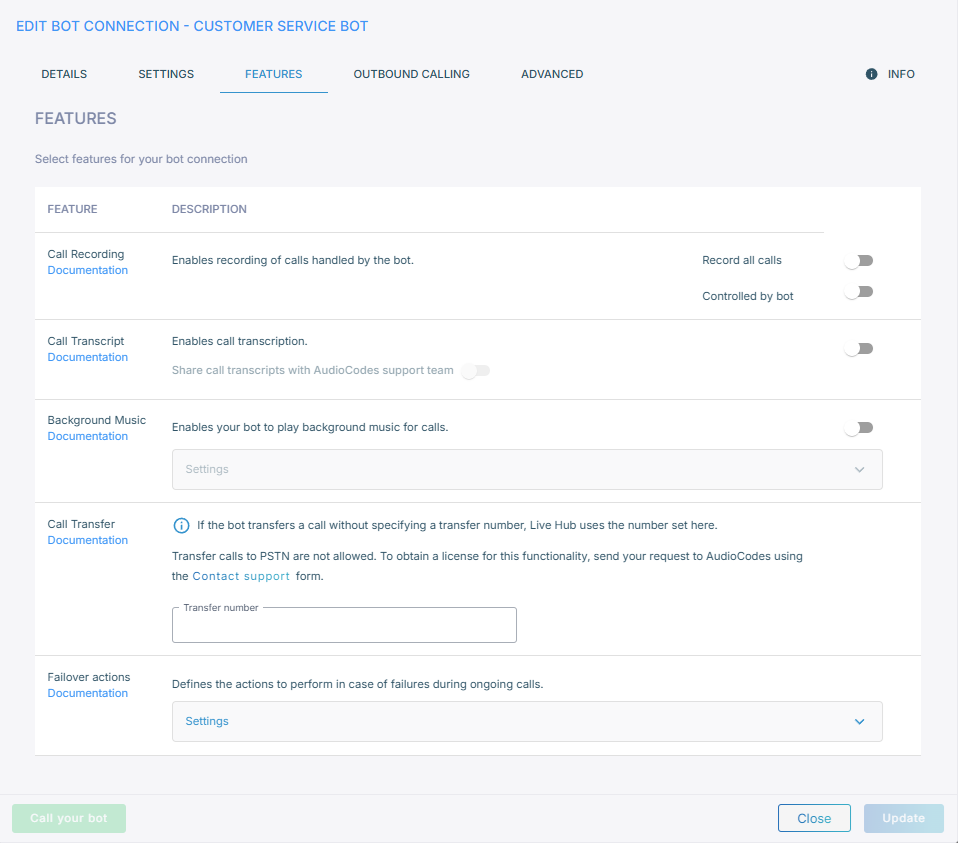
On the bot connection, click Edit, and then select the Features tab.
-
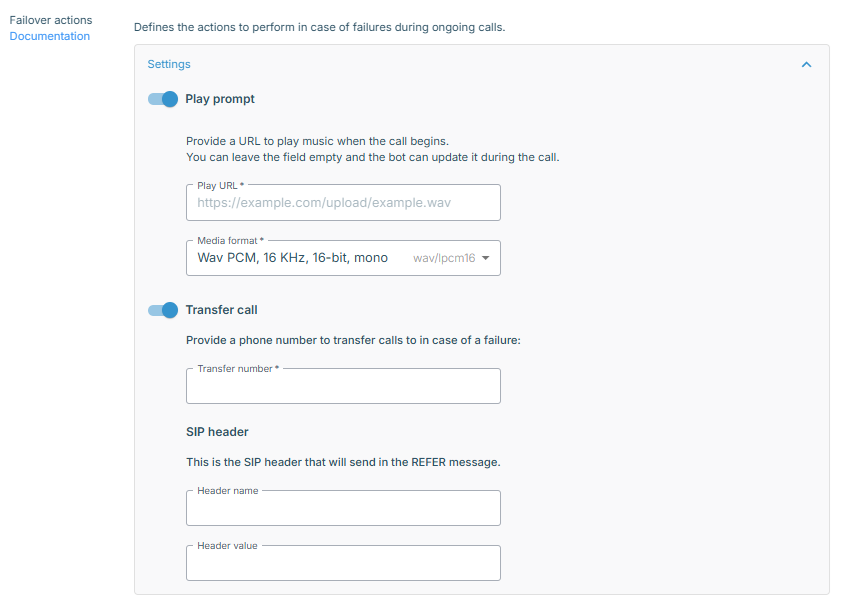
Under 'Select features for your bot connection', turn on Failover actions, and then expand Settings.
-
Turn on either action, or both:
- Play prompt: Live Hub plays audio when a call fails. Enter a 'Play URL' to play from, and a 'Media format' that matches it. The formats are the same ones background music accepts.
- Transfer call: Live Hub transfers the call when it fails. Enter a 'Transfer number' to transfer to, and optionally a 'SIP header' name and value pair, which Live Hub sends in the REFER message so that the receiving agent has some context about the failure.
-
Click Update.